Powerful Features
WebSnapPro comes packed with everything you need to capture, edit, and share web content effortlessly.
3 Capture Methods
Visible Area (Alt+V), Full Page with auto-scroll (Alt+F), or Area Selection with grid overlay (Alt+A). Context menu integration included.
15+ Editing Tools
Drawing tools, shapes, text with rich formatting, crop, blur, pixelate for privacy, filters (Grayscale, Sepia, Vintage), brightness, contrast, and saturation adjustments.
Flexible Export Options
Export to PNG, JPG, or WebP with quality control. Custom filename templates with date padding. Auto-download or copy to clipboard.
History Management
All screenshots saved locally with search, filter by URL/date/format, sorting options. Configurable retention period (1-90 days).
Customizable Shortcuts
Fully customizable keyboard shortcuts for all capture modes. Editor shortcuts (V, P, L, A, R, E, T, C, B) with Undo/Redo support (Ctrl+Z/Y).
Privacy & Settings
20+ customizable settings including scroll delays, max capture height, grid overlays, notifications, and privacy tools like blur and pixelate.
See WebSnapPro in Action
Experience the power and simplicity of our screen capture extension.
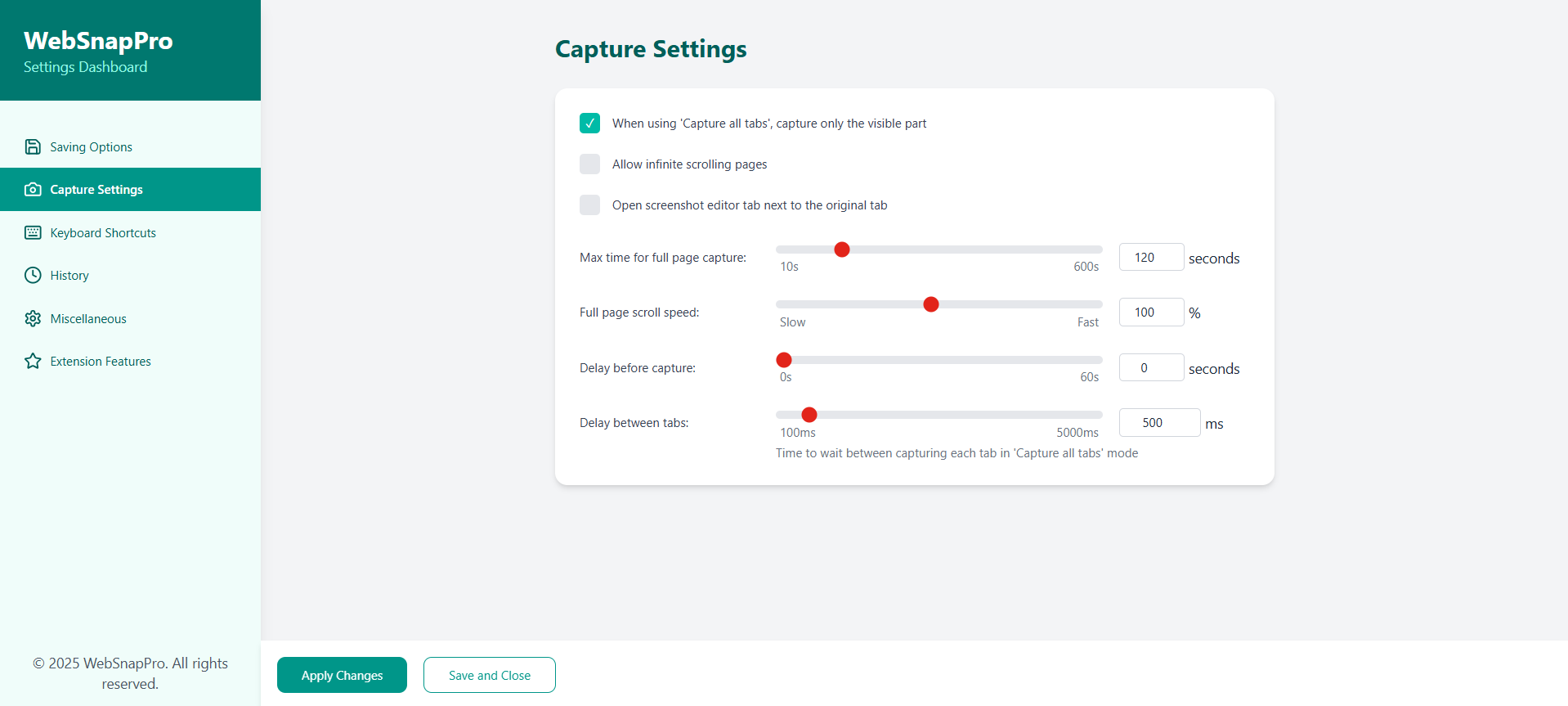
Full Page Capture
Capture entire web pages with a single click, even content that requires scrolling.
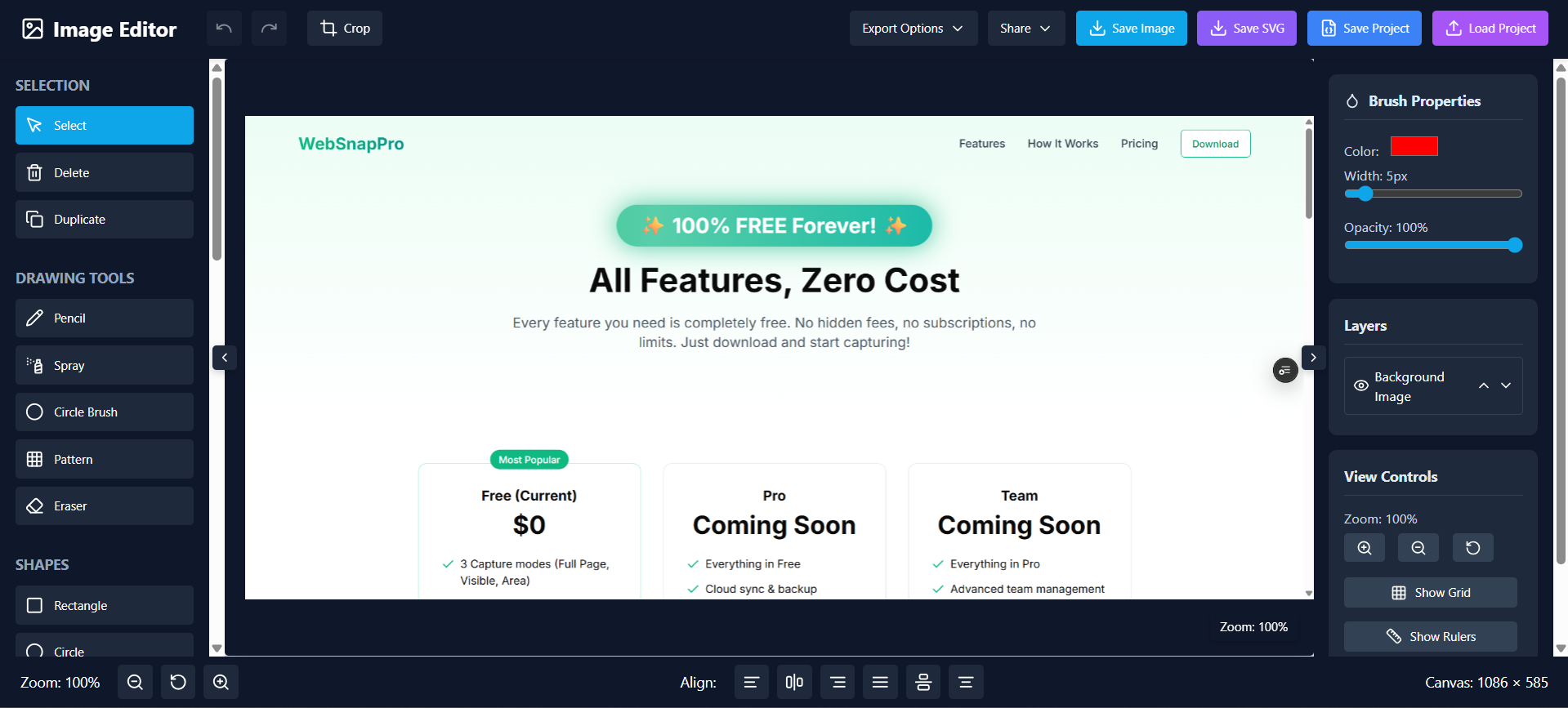
Powerful Annotation
Add arrows, text, highlights, and more with our intuitive editing tools.
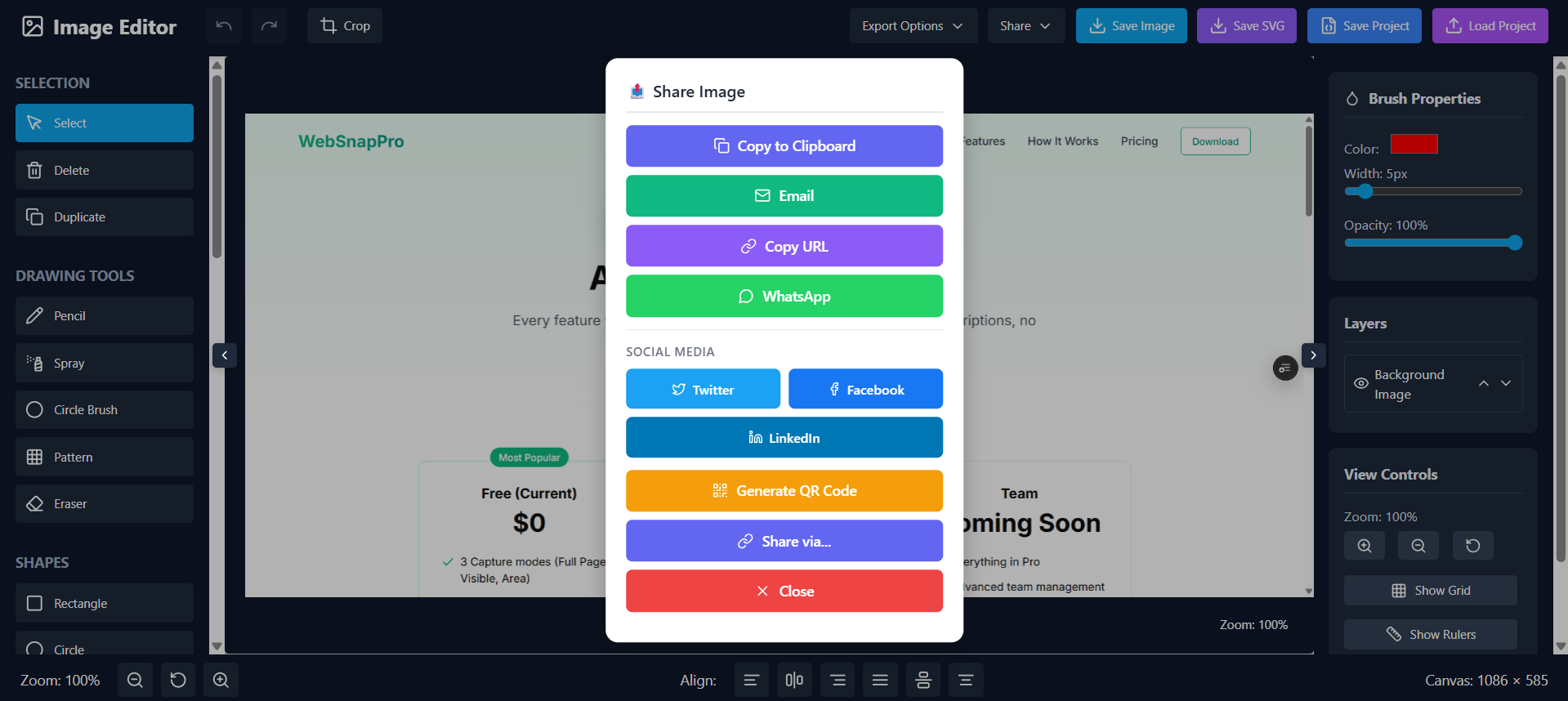
Instant Sharing
Share your captures instantly via email, cloud services, or generate shareable links.
How WebSnapPro Works
Capturing and sharing web content has never been easier.
Install the Extension
Add WebSnapPro to your browser with just one click. Available for Chrome, Firefox, Edge, and Safari.
Choose Your Capture Mode
Select Visible Area (Alt+V), Full Page with auto-scroll (Alt+F), or Area Selection with grid (Alt+A).
Edit with 15+ Tools
Use drawing tools (Pencil, Line, Arrow), shapes, text, crop, blur, pixelate, filters, and image adjustments. Undo/Redo supported.
Export and Save
Export as PNG, JPG, or WebP with custom filenames. Auto-download or save to history with configurable retention.
What Our Users Say
Join thousands of satisfied users who have transformed their workflow with WebSnapPro.
"WebSnapPro has completely transformed how I document websites for my clients. The annotation tools are intuitive and the sharing options save me so much time."
Sarah Johnson
Web Designer
Frequently Asked Questions
Everything you need to know about WebSnapPro. Can't find the answer you're looking for? Contact our support team.
Is WebSnapPro really free?
Yes, WebSnapPro is completely free with no hidden costs. All capture modes (Visible Area, Full Page, Area Selection), 15+ editing tools, export options, and history features are available to everyone at no charge.
What browsers does WebSnapPro support?
WebSnapPro is primarily designed for Google Chrome. It works with Chrome 88+ on Windows, macOS, and Linux. We're exploring support for other Chromium-based browsers like Edge and Brave.
Where are my screenshots stored?
All screenshots are stored locally in your browser's storage. WebSnapPro uses a privacy-first architecture—your images never leave your device unless you choose to export or share them.
Do I need an account to use WebSnapPro?
No, WebSnapPro works completely without an account. There's no sign-up, no login, and no personal information required. Just install and start capturing immediately.
Can I capture password-protected pages?
Yes, WebSnapPro can capture any content visible in your browser, including pages you're logged into. It only captures what you can already see on screen.
What's the difference between the three capture modes?
Visible Area (Alt+V) captures what's currently on screen. Full Page (Alt+F) auto-scrolls and stitches the entire page. Area Selection (Alt+A) lets you select a specific region with a grid overlay.
How do I protect sensitive information?
Use the Blur (B) or Pixelate tools in the editor to obscure sensitive data like passwords, emails, or personal information before sharing your screenshots.
Can I customize keyboard shortcuts?
Yes, all capture shortcuts (Alt+V, Alt+F, Alt+A) can be customized in the extension's Settings/Options page. Editor tool shortcuts are fixed but easy to learn.
What export formats are available?
WebSnapPro supports PNG (best quality, lossless), JPG (smaller file size), and WebP (optimized for web). You can also adjust quality and configure custom filename templates.
How long are screenshots kept in history?
You can configure the retention period from 1 to 90 days in Settings. You can also manually delete individual screenshots or clear all history at any time.
Does WebSnapPro work offline?
Yes, once installed, WebSnapPro works completely offline. Capture, edit, and save screenshots without any internet connection required.
How do I handle very long pages?
For very long pages, you can adjust the scroll delay (750-1000ms) and set max height limits in Settings. This ensures reliable capture even for pages with lazy-loaded content.
No Cost, Full Access
All features are completely free. Download now and start capturing professional screenshots!
Free
- All capture modes (Visible, Full Page, Area)
- 15+ editing tools & filters
- PNG, JPG, WebP export
- Local history storage
- Customizable shortcuts
- Unlimited captures
Pro
- Everything in Free
- Cloud sync & backup
- Batch URL capture
- Advanced automation
- Priority support
- Early access to new features
Team
- Everything in Pro
- Team management
- Shared libraries
- API access
- White-label options
- Dedicated support